
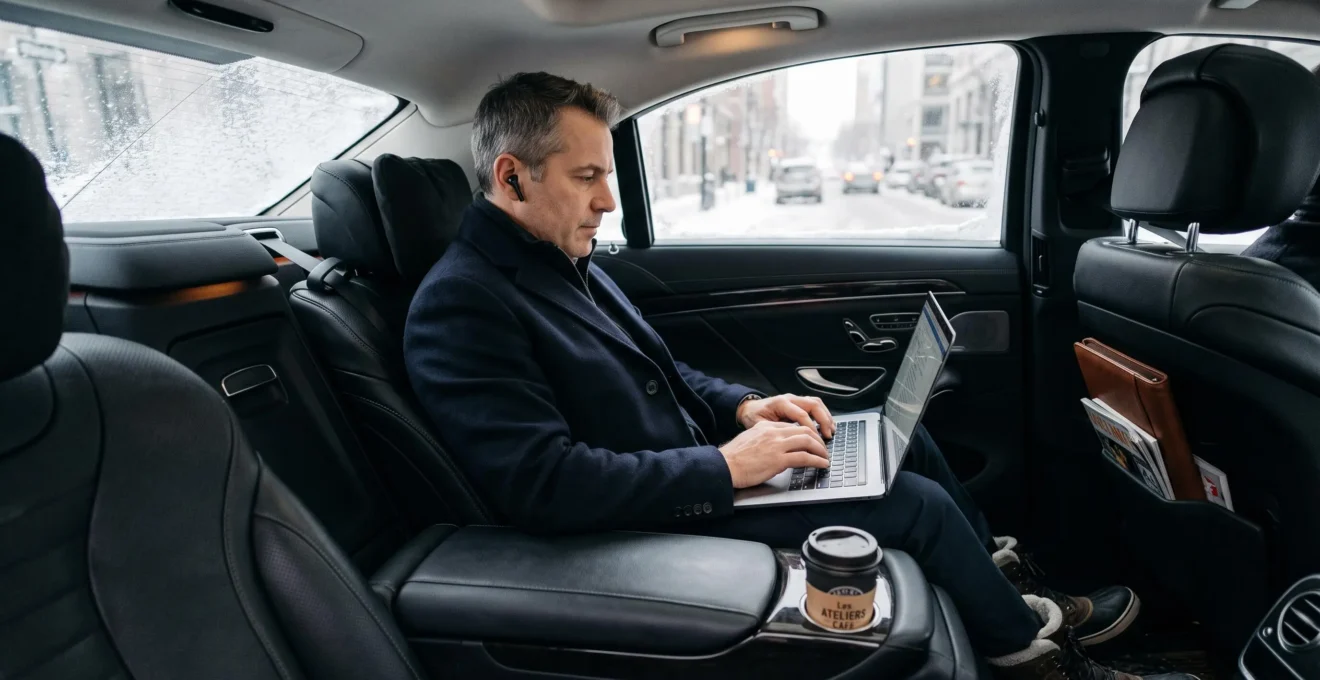
Executive transportation becomes productive workspace time only when the vehicle supports the work being performed. A spacious cabin alone cannot prevent interrupted calls, uncomfortable typing, unreliable connectivity or the loss of concentration immediately before an important meeting.
For executives travelling between Montréal offices, client locations and Montréal–Trudeau International Airport, the objective is to preserve usable working time rather than simply replace driving with sitting in the passenger seat. Achieving a target such as 90% uninterrupted productivity requires deliberate choices about seating, acoustic separation, connectivity and task scheduling. The figure is an operational goal, not an established performance benchmark.
A properly configured mobile workspace should allow an executive to open a laptop comfortably, handle sensitive information appropriately, complete worthwhile tasks and arrive prepared. Whether that workspace is an executive sedan, luxury SUV or partitioned passenger van depends on the work itself, the route and the level of privacy required.
Executive mobile workspace essentials
- Choose the rear-seat configuration according to typing posture, device requirements and available work surfaces, not vehicle prestige.
- Match confidential conversations and video meetings to the cabin’s actual privacy and connectivity capabilities.
- Prepare offline materials and assign tasks to realistic ride durations to maximize completed work rather than time spent attempting to work.
- Why Standard Sedans Fail Executive Work Needs: The 3 Ergonomic Requirements for Laptop Use
- How to Choose Between Executive Sedan and SUV for Your Mobile Work Style and Device Needs
- Executive Sedan vs. Luxury SUV vs. Sprinter: Which Cabin Isolates Confidential Calls Best?
- The WiFi-Dependency Mistake That Kills Productivity in Montréal’s 7 Cellular Dead Zones
- When to Schedule Deep Work During Transit: Matching Ride Duration to Task Cognitive Load
- Executive Sedan vs. Luxury SUV: Which Rear Seat Configuration Works Better for Laptop Use?
- Why Not All ‘WiFi-Equipped’ Vehicles Support Video Calls: The Bandwidth Reality Check
- How Executives Use Hourly Chauffeur Service as a Mobile Office to Reclaim Hours Every Week
Why Standard Sedans Fail Executive Work Needs: The 3 Ergonomic Requirements for Laptop Use
Standard sedans can become uncomfortable mobile workspaces when rear-seat dimensions and available support surfaces force passengers into awkward laptop positions. Three practical requirements matter most: sufficient clearance for the open computer, seating that permits relaxed shoulders and neutral wrists, and a stable surface that limits unwanted laptop movement. Vehicle size alone cannot establish whether those conditions are satisfied.
Passengers often evaluate rear seats by comfort during ordinary travel. Laptop work creates a different set of demands because the executive must look downward, position both hands over a keyboard and maintain that position while the vehicle changes speed.
Rear-seat clearance is the first requirement. An open 15-inch laptop must fit without the display pressing against the front seat or the keyboard forcing the knees into an uncomfortable position. Legroom specifications cannot fully describe this clearance because front-seat positioning, laptop dimensions and passenger height all influence usability.
The second requirement is neutral typing posture. The Canadian Centre for Occupational Health and Safety keyboard ergonomics recommendations emphasize keeping the keyboard directly in front of the user, the shoulders relaxed and the wrists aligned with the forearms. Although these recommendations concern conventional workstations, they provide useful principles for examining a vehicle’s rear seating arrangement.
The third requirement is a sufficiently stable work surface. A rigid tray or securely mounted laptop platform can offer better support than balancing equipment on clothing or soft upholstery. Even with a suitable surface, acceleration, braking and road vibration may interrupt typing. Loose equipment should also be secured before vehicle movement and must not obstruct restraints or exits.
Standard sedans with sloping rooflines or limited rear legroom may make these requirements difficult to satisfy, particularly for taller passengers. However, some executive sedans have generous rear accommodations, so the distinction depends on actual cabin geometry rather than the word “sedan.”
Montréal winters introduce another variable. Bulky parkas, scarves and bags occupy space that might otherwise support a comfortable work posture. A vehicle that feels adequate during a summer inspection may require a different arrangement when winter clothing is involved.
A useful booking assessment is a brief rear-seat typing test. With the vehicle safely parked, open the laptop and attempt three consecutive paragraphs without repeatedly adjusting the screen, knees or shoulders. This is a practical screening exercise, not a scientifically validated predictor of working comfort throughout a journey.
Once basic working posture is established, the next decision is whether a sedan or SUV better accommodates the executive’s normal combination of devices, materials and travel conditions.
How to Choose Between Executive Sedan and SUV for Your Mobile Work Style and Device Needs
An executive sedan is often sufficient for reading, email management and calls, while an SUV may be preferable when work involves larger equipment, additional documents or more demanding entry and exit conditions. Neither vehicle class is inherently more productive. The better choice is the one whose specific rear-seat configuration supports the executive’s tasks without introducing unnecessary movement, clutter or awkward positioning.
The decision should begin with a realistic inventory of the devices and materials used during travel.
| Work requirement | Executive sedan | Luxury SUV |
|---|---|---|
| Email, reading and audio calls | Often adequate with comfortable rear seating | Also suitable, but extra cabin volume may be unnecessary |
| Laptop plus printed documents | Depends on armrest and tray availability | May offer additional space for materials |
| Second device or external keyboard | Requires careful verification of usable surfaces | Potential advantage if rear tables and sufficient width are provided |
| Motion-sensitive typing | Potentially composed ride depending on suspension and route | Ride movement depends on suspension, tires and vehicle design |
| Winter entry and exit | Lower step-in height may be convenient | Higher seating position may help some passengers but inconvenience others |
A sedan’s relatively low seating position may feel stable during travel, but a vehicle’s actual motion is influenced by suspension tuning, wheelbase, tires and road conditions. An SUV’s additional cabin height and available seating adjustments can improve the working position for some passengers, while body movement over uneven surfaces may still make precise typing difficult. These are characteristics to test, not universal advantages of either category.
Device footprint provides a more reliable booking criterion than vehicle category. Someone carrying one laptop and earbuds has different requirements from a leader reviewing printed contracts alongside a tablet and external keyboard.
Where video conferencing is routine, available camera positioning, illumination, microphone performance and the stability of the supporting surface also matter. Additional cabin volume has limited value if there is nowhere appropriate to position the equipment.
Seasonality can change the preferred configuration. On snowy Montréal days, vehicle access, winter footwear, entry height and the ability to stow outerwear become relevant. An SUV may offer useful clearance, but a high step can be less convenient than a sedan’s lower entry point.
Once the workspace accommodates the equipment, the more consequential question for confidential business is whether the passenger can communicate without exposing sensitive conversations to unintended listeners.
Executive Sedan vs. Luxury SUV vs. Sprinter: Which Cabin Isolates Confidential Calls Best?
A partitioned passenger van can provide stronger separation from the driver than a conventional sedan or SUV, provided the partition is designed and installed for acoustic privacy. Without that separation, confidentiality depends on occupant proximity, cabin layout, sound insulation and conversation volume. A larger vehicle does not automatically prevent someone in the front seats from hearing sensitive information.
Three cabin characteristics deserve separate evaluation: acoustic isolation, physical separation and control over who occupies the passenger compartment.
Road and engine noise may make speech harder to understand, but ambient noise is not a dependable confidentiality safeguard. Quiet luxury cabins can reduce passenger fatigue while allowing voices to remain audible to someone nearby.
Physical partitions are more relevant to conversations involving legal advice, board deliberations or mergers and acquisitions. Even then, a partition should not be treated as soundproof without evidence of its acoustic performance.
| Privacy consideration | Executive sedan | Luxury SUV | Partitioned passenger van |
|---|---|---|---|
| Driver separation | Usually shared cabin | Usually shared cabin | Potential separate compartment |
| Conversation audibility | Driver may overhear | Driver or other passengers may overhear | Depends on partition construction and seals |
| Passenger-zone control | Limited seating capacity | Depends on seating occupancy | Can provide a dedicated rear work area |
| Suitable call sensitivity | Routine conversations after privacy assessment | Routine or moderately sensitive conversations with appropriate precautions | Potentially more suitable for sensitive calls after isolation verification |
A useful decision system classifies calls before assigning a vehicle. Routine scheduling or non-sensitive updates may be acceptable in a conventional cabin. Commercial negotiations require greater attention to occupant access, speakerphone use and document visibility. Board, legal and transaction-related conversations may require a properly separated compartment or postponement until a verified private environment is available.
For a Sprinter-style mobile office, ask whether a full-height partition is actually present, whether the dividing door closes securely and whether speech remains intelligible from the driver position. A decorative glass divider or privacy screen may restrict visibility without providing meaningful sound isolation.
Confidentiality also extends beyond acoustics. Reflections on windows, visible laptop screens, connected audio devices and conversations conducted while doors are open can reveal information. Sensitive work should use appropriate screen privacy settings, headphones and company-approved communication systems.
Even a well-isolated workspace becomes unsuitable for live meetings if its network connection fails, making route-level connectivity the next operational requirement.
The WiFi-Dependency Mistake That Kills Productivity in Montréal’s 7 Cellular Dead Zones
The central connectivity mistake is treating advertised vehicle Wi-Fi as a guarantee of uninterrupted internet access. Many in-car hotspots depend on cellular networks, so a weak or unavailable mobile signal can disrupt the Wi-Fi connection as well. The title’s reference to seven Montréal cellular dead zones is not supported by verified route-specific evidence; actual connectivity risks must be assessed individually.
This distinction matters because a passenger may see a strong Wi-Fi connection to the vehicle’s router while the router itself has inadequate access to the cellular network. The wireless network inside the car remains visible, but cloud documents, live calls and uploads may stop functioning.
Rather than assuming that entire Montréal neighbourhoods lack service, executives should assess the particular journey. Potentially challenging environments include enclosed parking structures, some tunnels and infrastructure-heavy road segments, although the existence and severity of any interruption depend on the operator, equipment and current network deployment.
Underground connectivity cannot simply be described as absent. The STM announcement on Montréal métro mobile-network coverage documented the completion of 4G LTE deployment across 68 métro stations and 71 kilometres of tunnels in December 2020. This demonstrates the role of dedicated infrastructure, but does not establish current cellular performance in road tunnels or chauffeur-driven vehicles.
Route-level testing is therefore more informative than a generic claim about citywide coverage. Frequent business routes can be evaluated using past call interruptions, operator coverage information and connection observations recorded by passengers or transportation providers.
An offline-first workflow reduces dependence on the network. Before boarding, the executive downloads permitted documents, makes relevant files available locally, prepares notes and confirms whether the necessary applications will function without continuous authentication.
For example, a hypothetical airport transfer might include a reliable initial connection, an uncertain intermediate segment and improved reception near the destination. A live video meeting would be better scheduled outside the uncertain segment, while locally available reading or document annotation could occupy it.
Five actions to prepare a connectivity-resilient mobile workspace
- Document the journey: identify the planned route and likely working intervals; produce a route-and-task schedule.
- Check connection dependencies: confirm the hotspot’s underlying mobile network and any available backup; produce a connectivity checklist.
- Prepare offline materials: download authorized documents and test local access; produce a verified offline folder.
- Assign fallback tasks: match potentially unreliable route segments with reading, reviewing or note drafting; produce an offline task queue.
- Define recovery arrangements: agree how interrupted calls or unsent materials will be handled; produce a short communication fallback plan.
Reliable mobile productivity requires more than preventing network failure: work must also fit the available journey without creating costly interruptions at arrival.
When to Schedule Deep Work During Transit: Matching Ride Duration to Task Cognitive Load
The most suitable transit task depends on how much uninterrupted time remains and how demanding the activity is. Short rides are generally easier to use for email triage, brief reviews and message drafting, while longer journeys offer more room for concentrated writing or analysis. These are planning guidelines rather than scientifically established thresholds, and a predictable stopping point matters as much as total journey duration.
Knowledge work involves different levels of mental preparation. A quick scheduling response needs little context, whereas a financial model, strategic memorandum or complex contract review may require several files, sustained attention and a clear understanding of earlier decisions.
Interrupting demanding work at arrival can leave the executive carrying unresolved questions into the next meeting. The University of California discussion of workplace attention and interruptions describes research on task switching and the challenges of returning to interrupted projects. Those observations concern knowledge work generally, not experiments on chauffeured travel or validated optimum ride lengths.
A practical scheduling framework divides activities into three categories.
| Available ride window | Cognitive demand | Suitable activities |
|---|---|---|
| Approximately 10–15 minutes | Low | Email triage, agenda checks, short replies |
| Approximately 20–35 minutes | Moderate | Document review, meeting preparation, annotated reading |
| Approximately 45–60 minutes | High, when conditions permit | Structured writing, financial review, decision-memo preparation |
These time ranges are illustrative planning categories, not empirical productivity cutoffs. A 45-minute journey with unreliable connectivity or frequent disturbances may be less suitable for deep work than a shorter but exceptionally quiet ride.
Preparation should occur before pickup. Opening documents, identifying the intended output and silencing nonessential notifications beforehand minimizes time spent organizing the workspace after departure.
Deep tasks should also have a finish line. Rather than attempting to complete an entire strategic presentation during a ride, an executive might aim to finish its recommendation section or validate a defined set of assumptions.
It is useful to reserve the final part of the journey for saving changes, securing confidential materials and reviewing the purpose of the upcoming appointment. Completing a manageable work unit protects the next meeting from the cognitive disruption of an unfinished analysis.
Illustrative executive transit schedule
Consider a hypothetical 55-minute Montréal journey between business appointments. Before pickup, the executive downloads relevant materials and chooses one memorandum section to complete.
The opening portion is used to review the background, the central uninterrupted portion to draft the recommendation, and the final portion to save the document and prepare for arrival. This illustrates task sequencing; it does not demonstrate a measured productivity improvement.
Even the best schedule will underperform if the executive must continually readjust the laptop, making the geometry of the rear seating position an important final equipment decision.
Executive Sedan vs. Luxury SUV: Which Rear Seat Configuration Works Better for Laptop Use?
The best rear-seat configuration for laptop work is the one that combines appropriate back support, comfortable screen distance and a stable surface for the keyboard. A luxury SUV with individual captain’s chairs is not necessarily superior to an executive sedan with a supportive bench and usable centre armrest. Specific seat geometry and equipment matter more than the vehicle’s nominal category.
Captain’s chairs may provide individual recline adjustments, additional separation and comfortable seating. However, wide armrests and deeply contoured cushions can complicate the placement of a laptop or portable stand.
A bench arrangement can sometimes offer a useful centre armrest or compatible fold-down surface. If that surface is rigid and correctly positioned, it may improve the stability of the laptop compared with balancing the device directly on the passenger’s thighs.
Neither configuration should be assumed safe or comfortable for prolonged typing without inspection. A laptop resting on an inadequately supported armrest can shift during braking, while a tray not designed for moving-vehicle use may create an injury hazard.
| Configuration feature | Potential advantage | Verification required |
|---|---|---|
| Individual captain’s chairs | Adjustable seating and greater personal positioning control | Reach to keyboard, available table and recline angle |
| Bench seat with centre armrest | Potential central support surface | Surface dimensions, rigidity and intended use |
| Integrated rear workstation tray | Dedicated equipment placement | Installation, load rating and safe-use instructions |
| Adjustable rear-seat recline | Potential improvement in comfort or camera positioning | Ability to maintain suitable posture and restraint positioning |
For video calls, seat positioning has another consequence. A captain’s chair with suitable adjustment may help place the face at a useful camera angle, but the result still depends on where the device is mounted. A fixed bench can work equally well with suitable equipment.
When comparing vehicles, ask for information about the specific model and trim, including whether a rear table is installed. Two vehicles marketed under the same luxury class may have substantially different rear-seat functionality.
The final check should involve the executive’s own laptop, usual seating position and any essential accessories. Perform this assessment while parked, then use only equipment arrangements suitable for travel.
Once the equipment position is suitable, a separate technical assessment is needed before trusting the cabin with a scheduled video conference.
Why Not All ‘WiFi-Equipped’ Vehicles Support Video Calls: The Bandwidth Reality Check
A Wi-Fi-equipped vehicle may provide a wireless connection without having enough cellular bandwidth or stability for a successful video meeting. Video calls require adequate upload and download capacity, manageable latency and consistent network performance. Advertised Wi-Fi availability establishes none of those conditions, so executives should assess the actual connection before scheduling a business-critical conference during transit.
Vehicle connectivity typically involves two connections: the passenger’s device communicates with a local hotspot, and that hotspot connects to an external network. Good signal strength between the laptop and the router does not prove that the external cellular connection is adequate.
For executives who regularly use Zoom, the platform’s documented recommendations offer a useful benchmark. According to the supplied Zoom Web App technical requirements, a one-to-one 720p video call recommends approximately 1.2 Mbps upload and download, while a 720p group video call recommends 2.6 Mbps upload and 1.8 Mbps download.
2.6 Mbps upload
Zoom Web App’s documented recommended upstream bandwidth for a 720p group video call. This is an application requirement, not a guarantee of quality over mobile networks.
Zoom, official Zoom Web App system and bandwidth requirements.
Uploading video from the passenger’s camera makes upstream performance particularly important, but download speed, delay, network fluctuations and packet loss can also determine whether a call remains usable.
Shared hotspots introduce another complication. When passengers or connected systems simultaneously transfer data, the available network capacity must accommodate competing demand. A connection that handles one video meeting adequately may perform differently under concurrent usage.
Before relying on a vehicle for live conferencing, ask the transportation provider which cellular network supports the hotspot, whether it uses 4G LTE or 5G, and whether a backup connection is available. Where feasible, test an actual call under representative travel conditions rather than relying solely on a stationary speed test.
A fallback protocol should specify what happens when the video stream deteriorates. Moving to audio-only, using an approved telephone dial-in option or continuing asynchronously may preserve the meeting’s purpose. The executive should also have a plan for informing participants when connectivity prevents attendance.
Even with appropriate bandwidth, camera stability, microphone quality, cabin acoustics and the confidentiality of visible surroundings remain relevant. Network capacity is necessary for a successful call but cannot independently guarantee one.
When ergonomic, privacy and connectivity requirements have been addressed, executives can evaluate whether reserving the vehicle for multiple appointments produces more usable working time than separate point-to-point journeys.
What matters before choosing an hourly mobile office
- Measure productive time through completed work outputs, not simply the number of hours spent in the vehicle.
- Preserve a consistent cabin and equipment arrangement across appointments to reduce repeated setup and packing.
- Evaluate the hourly booking against the actual itinerary, privacy needs and total service cost rather than assuming it automatically saves time.
How Executives Use Hourly Chauffeur Service as a Mobile Office to Reclaim Hours Every Week
Hourly chauffeur service can function as a mobile office when an executive needs transportation between multiple appointments and can retain a consistent working environment throughout the day. Its potential value comes from reducing repeated transportation arrangements, organizing transitions and converting otherwise unproductive gaps into usable work sessions. The number of hours recovered depends on the itinerary and should be measured rather than assumed.
Conventional point-to-point transportation focuses on completing individual trips. An hourly arrangement can support a broader schedule in which the vehicle remains available between meetings, subject to service conditions, local stopping arrangements and any waiting-time restrictions.
For executives attending appointments across downtown Montréal, business districts and airport locations, this can reduce the need to repeatedly organize pickups or re-establish the same working setup in different vehicles.
Workspace continuity is the central advantage. With a suitably equipped vehicle, the executive can keep an approved device configuration and working routine consistent between journeys. Sensitive materials must still be secured whenever the vehicle is unattended, and the provider’s rules governing storage and access must be respected.
The chauffeur also supports itinerary coordination. Route changes, pickup adjustments and meeting delays can be communicated through a single transportation relationship. However, administrative assistance, document retrieval or errands should never be assumed included in the booking without explicit agreement.
The productivity value is best evaluated through a weekly travel audit.
| Time category | What to record | Potential improvement |
|---|---|---|
| Travel between meetings | Duration and current activity | Assign suitable working tasks |
| Waiting and pickup coordination | Time lost organizing transport | Reduce repeated arrangements |
| Workspace preparation | Time opening equipment and files | Standardize preparation before boarding |
| Interrupted work | Unfinished tasks and interruption causes | Improve task selection and connectivity planning |
| Arrival preparation | Time needed to switch to the next appointment | Reserve a deliberate transition period |
For each segment, record how much time was genuinely available for work, what task was attempted and whether it produced a usable output. Compare that result with the previous transportation arrangement over representative working weeks.
A hypothetical executive who spends several days travelling between meetings might recover useful intervals by eliminating repeated pickup coordination and preparing tasks in advance. The amount recovered cannot be determined without that executive’s itinerary, working habits and service conditions. The frequently cited ambition of reclaiming 12 hours per week should therefore be treated as an individual target to test, not a general expectation.
Service costs also matter. An hourly vehicle that remains unused for substantial portions of the day may be less economical than separate bookings. Executives should compare the total transportation expense with actual administrative time saved and work completed, without assigning an unsupported monetary value to every passenger minute.
The mobile-office model succeeds when the underlying infrastructure works together: suitable cabin geometry, protected conversations, dependable task-specific connectivity and realistic work scheduling. It fails when a comfortable vehicle simply relocates the same distractions and interruptions encountered elsewhere.
Begin with a one-week travel audit, identify the appointments with meaningful working windows and request a vehicle configuration based on those needs. Use the completed-work results to decide whether a recurring mobile office offers a practical benefit over existing transportation arrangements.
Can executives realistically remain productive for 90% of their travel time?
It can be used as a personal planning target, but no evidence supplied here establishes 90% as a typical or achievable productivity rate. Actual results depend on ride duration, equipment, interruptions and task suitability. Measure completed work during usable ride minutes rather than assuming all transit time can become productive.
Should sensitive business documents be stored in a chauffeured vehicle between meetings?
Only when permitted by the executive’s organizational security policies and the transportation arrangement. Consider unauthorized access, theft, device encryption, physical storage and whether the cabin remains attended. Sensitive papers and devices should not be left exposed, and a waiting vehicle should not automatically be treated as secure storage.
Does a 5G vehicle hotspot eliminate the need for offline documents?
No. A 5G connection can offer substantial network capacity under suitable conditions but does not guarantee uninterrupted service along an entire route. Locally available documents and tasks provide continuity when coverage, capacity or application access becomes unreliable.
Is it better to work throughout the journey or take a break before arriving?
That depends on the demands of the next appointment and the passenger’s condition. Ending demanding work before arrival provides time to save materials, secure devices and mentally prepare for the meeting. Breaks are also important when prolonged screen use, vehicle movement or fatigue reduces comfort and concentration.
What information should be requested before booking an executive mobile workspace?
Request the specific vehicle model and rear-seat configuration, available work surfaces, power options, internet connection details, cabin privacy features and policies for securing equipment. Confirm the actual itinerary, waiting arrangements and total pricing. When mobile working is a central requirement, an inspection or practical equipment test is more informative than a generic luxury-vehicle description.